
The Brief We Are Starting With
Most ServiceNow work starts the same way. A stakeholder sends an email, or you take notes in a workshop, and you are left with a paragraph that is half clear and half assumption. The job of an analyst-developer is to convert that paragraph into stories that a build engine can execute against.
For this worked example we are using a real-world flavoured brief from a Procurement Operations lead. Names are fictional, the shape is not.
Subject: New supplier onboarding - can we automate?

Hi team,

We need a smoother way to onboard new suppliers. Today
procurement raises a ServiceNow request, finance approves
it, then someone has to manually create the vendor record
in the CMDB and notify the category manager. It often takes
3-5 days and we lose track of who has approved what.

Ideally the requester picks a supplier type, the right
approvers are pulled in automatically (finance for any spend,
plus legal if the supplier touches customer data), and the
vendor CI gets created once everyone signs off. We want the
category manager kept in the loop the whole time.

Can we have this for the Q3 review?

- Priya, Procurement Ops
That is the entire input. Everything below is what comes out the other side of four passes through Yeti Chat.
Pass 1: BA Hat - Extract the Intent
The first pass uses the BA hat in General mode. Goal: surface the unstated assumptions and break the request into a clean set of capabilities. Yeti Chat is told to challenge gaps rather than fill them in.
Prompt: "Read the attached brief. Acting as a ServiceNow BA,
list the capabilities being requested, the explicit conditions
(supplier type, finance approver, legal for customer data),
and any gaps you would flag to the requester before drafting
stories."

Output (abridged):
Capabilities:
  C1. Supplier onboarding request form
  C2. Conditional approval routing (finance always,
      legal when customer-data flag is true)
  C3. Auto-creation of vendor CI on full approval
  C4. Category manager notification on every state change

Gaps flagged:
  G1. What is a "supplier type"? Goods, services, contractor?
  G2. Threshold for "any spend"? Is there a min spend?
  G3. Which CMDB class is the vendor CI - cmdb_ci_vendor?
  G4. Notification channel - email, Teams, both?
The four gaps go back to Priya. She replies within an hour. Supplier types are Goods, Services, Contractor. There is no minimum spend. cmdb_ci_vendor is correct. Email is fine. Those answers feed Pass 2.
Pass 2: Architect Hat - Shape the Solution
Pass 2 switches to the Architect hat in Thinking mode. The Yeti Drive has the cmdb_ci_vendor dictionary export, the standard finance approval group definition, and a markdown glossary of category-manager role mappings attached.
Prompt: "Propose a high-level solution shape. Choose the
right artifacts (record producer vs catalog item, Flow
Designer vs Business Rule, etc). Justify each choice with
reference to the brief and the attached dictionary."

Output (abridged):
- Record producer on sc_request, populating a custom
  table x_supplier_onboarding for the staging data
- Flow Designer flow on insert: routes to finance,
  conditional branch to legal where x_handles_customer_data
  is true, parallel notification subflow to category manager
- After-approval action: Fluent SDK script to insert
  cmdb_ci_vendor with reference back to staging record
- Email notifications via existing notification templates
  extended for state changes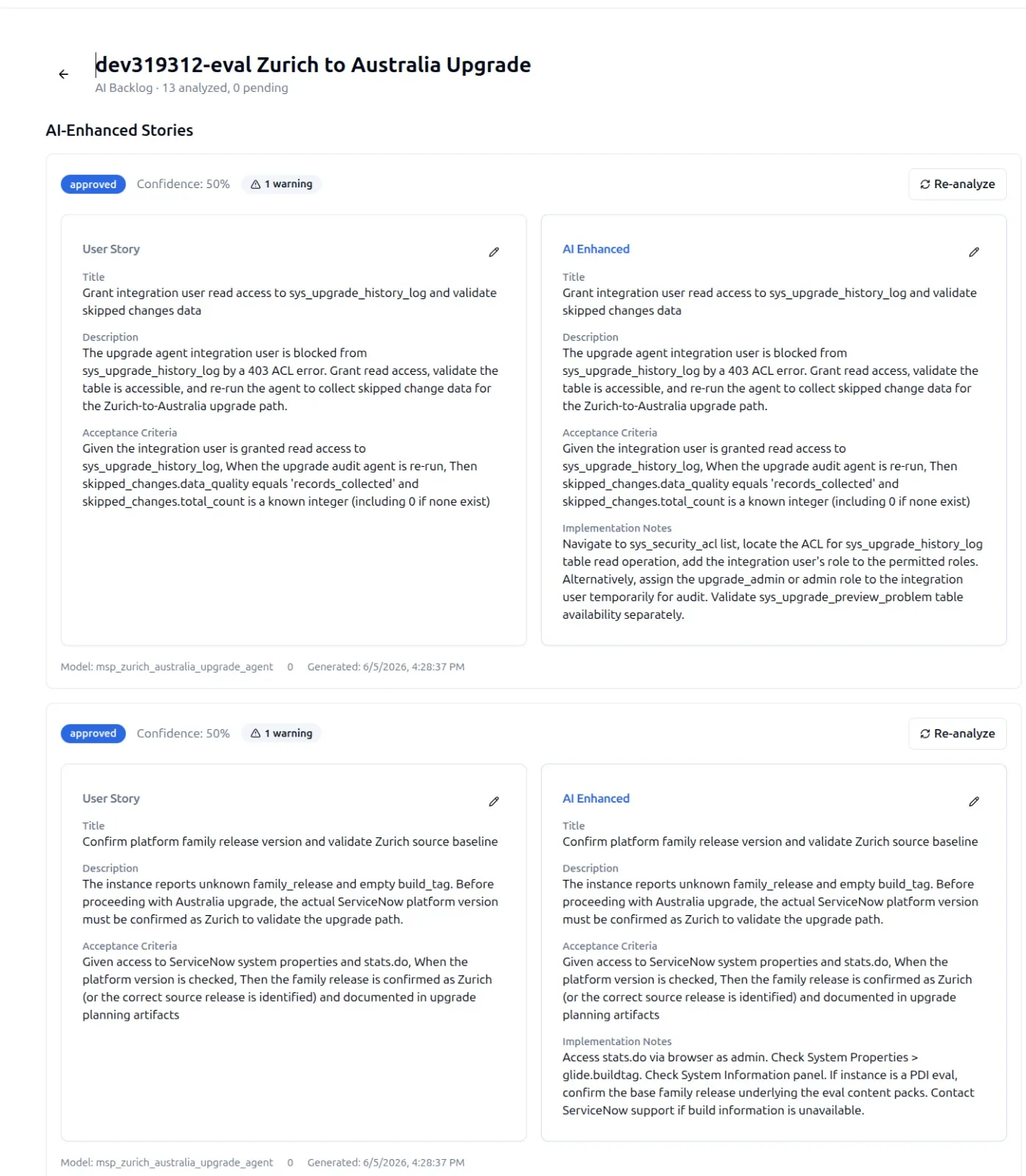
Pass 3: Sr Dev Hat - Generate the Stories
Pass 3 is where the AI Backlog crystallises. The Sr Dev hat takes the Architect's shape and produces story records, each with title, description, acceptance criteria, and an artifact list ready for Build Agent. The format is structured so it can be promoted directly into the backlog table without further rewriting.
STORY-001
Title: Supplier onboarding record producer
Description: A catalog record producer that allows
  procurement requesters to raise a supplier onboarding
  request, capturing supplier type, customer-data flag,
  and category manager.
Acceptance Criteria:
  - GIVEN a procurement user
    WHEN they open the "Supplier Onboarding" record
         producer
    THEN they see fields: supplier_name (mandatory),
         supplier_type (Goods/Services/Contractor),
         handles_customer_data (boolean),
         category_manager (reference sys_user)
  - GIVEN the form is submitted
    WHEN all mandatory fields are populated
    THEN an x_supplier_onboarding record is created with
         state=Draft and the source sc_request reference
Artifacts:
  - Table: x_supplier_onboarding
  - Record producer: u_supplier_onboarding
  - Variable set: u_supplier_onboarding_vars
The same pass produces six more stories in the same shape: the conditional approval flow, the legal sub-branch, the vendor CI creation, the category-manager notification subflow, the audit log enrichment, and the regression ATF suite. Each story carries an artifact list that maps to specific entries in the 42 artifact classes the Fluent SDK supports.
At this point the backlog is structured enough to be reviewed in a sprint planning session, but still small enough to challenge line by line.
Pass 4: Security Hat - Stress Test the Backlog
Pass 4 is the safety pass. The Security hat is asked to walk every story for risk: missing ACLs, PII handling, query injection surfaces, and audit-trail gaps. This is non-optional. The output annotates the existing stories rather than rewriting them.
Security findings against the draft backlog:

STORY-001 (record producer)
  + Add ACL: x_supplier_onboarding.write requires role
    procurement_user
  + Field-level read ACL on handles_customer_data:
    legal_reviewer + procurement_admin only

STORY-003 (vendor CI creation)
  + Use sn_fluent insert with explicit scope; never run
    as system unless wrapped in restricted Script Include
  + Add audit field: created_from_onboarding_id

STORY-005 (notification subflow)
  + Email content must not include the supplier bank
    detail field even when populated
  + Use OOB notification preferences to honour opt-outs
These annotations become additional acceptance criteria on the original stories rather than separate stories. That keeps the backlog tight and avoids the anti-pattern of treating security as a parallel workstream.
Handing Off to Build Agent
Once the seven stories are agreed with Priya, the backlog is promoted to Build Agent. The agent picks up the artifact list per story, generates the table, record producer, flow, ATF tests, and notification templates against the ServiceNow Fluent SDK, and posts each artifact for review on the schedule defined for the project.
This is where the two-lane model matters. The human work happened in Yeti Chat, where iteration is cheap and pushback is encouraged. The agent work happens on a scheduled lane, where every destructive change goes through an approval gate. There is no point at which the agent and the human are clicking in the same place at the same time.
Across larger programmes this is how SnowCoder hits the 291-story build benchmark - not by speed-running stories, but by hardening each one through this four-pass shape before any code is written.
Why This Beats Drafting Stories Straight Into Jira
The instinct in most teams is to put the brief into a Jira ticket and let a developer dig in. The problem with that pattern is that the brief stays as the source of truth all the way until the code is wrong, at which point everyone re-reads the email and argues about intent.
Running the brief through Yeti Chat in four passes promotes the structured stories to be the source of truth before any artifact exists. The brief is referenced but not relied on. That is what makes the output reproducible across teams, and it is why the AI Backlog feeds cleanly into the SnowCoder workflow end to end.